Quick answer
Quick answer
Check the current VA form, notice, or official claim page before faxing. Online filing or upload may provide better visibility, while fax remains an accepted route for some claim forms and evidence. Use the current official Claims Intake Center instructions, save the complete PDF and delivery confirmation, and remember that documents sent by fax may not appear in the VA claim-status document list.
What to get right
- Choose the submission channel for the exact claim stage: online claim, claim-status upload, QuickSubmit, fax, mail, or accredited help.
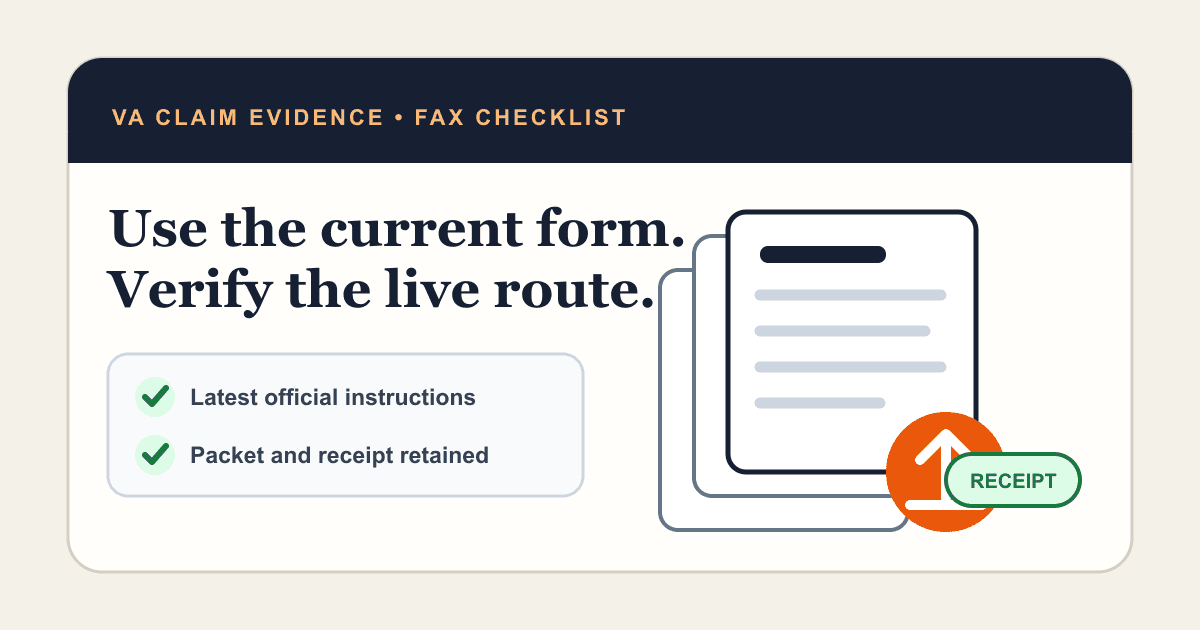
- Use only the current VA form revision and fax route shown on VA.gov or your notice.
- Do not publish or rely on a timeless fax number; official routing can change.
- VA says mailed or faxed documents may not appear in the claim-status tool, so keep your own receipt.
Choose the right VA submission route before you fax
Fax is one available route, not the default for every VA task. A new disability claim can be filed online. Evidence for a pending initial claim may be uploaded through the claim-status tool, and VA directs other document types or decision-review evidence to QuickSubmit in specific workflows.
Use the method named on the current form, decision letter, request, or VA.gov page. If the instruction is unclear, ask VA or an accredited Veterans Service Organization before sending.
| Task | Route to check first | Why |
|---|---|---|
| Start a new disability claim | VA.gov online claim or current VA Form 21-526EZ instructions | The online flow can guide required fields and evidence. |
| Add evidence to a pending initial claim | Claim-status evidence upload | Uploaded evidence can be visible in the online claim workflow. |
| Decision review, appeal, or other document | QuickSubmit or the exact notice instructions | Different case stages use different submission paths. |
| Fax or mail a paper claim | Current Claims Intake Center instructions | Routing and international directions can change. |
| Need filing help | Accredited VSO, attorney, or claims agent | A trained representative can match the form to the claim stage. |
Use the current VA form and official intake instructions
Download VA forms directly from VA.gov and check the revision date. As of this review, the official Form 21-526EZ page lists a January 2026 revision and also points veterans to the online disability application.
Do not rely on a fax number saved from an old article, a search snippet, or a previous claim. Open the current VA compensation application page or use the fax instructions on your notice immediately before sending. Official instructions may distinguish U.S. and outside-U.S. routes.
What supporting evidence may belong in a disability claim
VA describes evidence such as private medical records, doctor reports, imaging or test results, supporting statements, and other claim-specific forms. The right evidence depends on the condition and benefit claimed.
Do not bury the requested evidence under unrelated records. Use the current form checklist or VA request letter, keep a copy of every page, and consider accredited assistance when you are unsure what the claim needs.
- Completed and signed current VA form when a paper form is required.
- Private medical records related to the claimed condition.
- Doctor reports, test results, or imaging reports that support the claim.
- Supporting statements from people with relevant first-hand knowledge.
- Any additional form or response specifically requested by VA.
Send when ready
Your final PDF can go straight from browser to fax.
No fax machine or monthly plan. Verify the number, review the page count, and keep the delivery status.
Prepare a VA fax packet that can be matched
Keep VA-generated barcodes, intake covers, or notice pages at the front when the instructions require them. Put the form first, then the requested evidence in a clear order. Confirm that the veteran name, file number or other requested identifier, signatures, dates, and total pages are complete.
Use a clean black-and-white PDF with readable text and no missing edges. Split an oversized file only if the official instructions allow multiple transmissions, and label each part clearly.
- Current official form or response page.
- Required VA routing or barcode page.
- Evidence in the order described by the form or notice.
- A minimal cover sheet only when it will not block an official routing page.
- A retained master PDF that exactly matches the transmitted pages.
Fax the claim or evidence in seven steps
The critical step is number verification. Open the live VA source immediately before sending and compare it with the number printed on your form or notice.
- Confirm fax is allowed for your claim stage and document type.
- Download the current form and complete every required signature and date.
- Verify the Claims Intake Center or notice-specific fax number on an official VA source.
- Scan the final packet into one readable PDF.
- Upload it to 1Fax and review every destination digit and page.
- Send, monitor the status, and save the delivery confirmation.
- Keep the PDF, receipt, and official instruction page together in your records.
Why your fax may not appear in VA claim status
VA's claim-status FAQ says the tool does not show documents brought in person or sent by mail or fax. That means an empty online document list is not, by itself, proof that the fax failed—and a delivered fax is not proof that VA associated every page with the claim.
This is a major difference between fax and direct online upload. If online visibility matters and the claim stage allows it, use the official upload route. If you fax, preserve independent proof and contact VA through an official channel when follow-up is necessary.
Fax delivery is not a VA filing decision
A transmission confirmation shows that the receiving fax system accepted the pages at a certain time. It does not determine the effective date, prove that a form was valid, establish that evidence was sufficient, or show that VA completed intake.
For a deadline or important claim, do not wait until the final minutes. Submit through the instructed route, keep evidence, and seek help from VA or an accredited representative if the status or deadline is uncertain.
Research notes
Official sources used for this guide
Agency, healthcare, and provider instructions can change. Recheck the linked source and the document in front of you before transmitting.
- 01Application for Disability Compensation and Related Compensation Benefits (opens in a new tab)
U.S. Department of Veterans Affairs
- 02How to apply for VA disability compensation (opens in a new tab)
U.S. Department of Veterans Affairs
- 03Upload evidence to support a disability claim (opens in a new tab)
U.S. Department of Veterans Affairs
- 04VA claim status tool frequently asked questions (opens in a new tab)
U.S. Department of Veterans Affairs
Common questions
Frequently asked questions
Can I fax a VA disability claim?
VA lists fax as an option for some paper disability claim workflows, but online filing is also available. Use the current Form 21-526EZ and official VA application instructions.
What fax number should I use for VA claim evidence?
Use the number on the current VA form, notice, or official VA compensation page immediately before sending. Do not rely on a number copied from an undated third-party article.
Can I upload evidence instead of faxing it?
Often yes. VA says evidence for a pending initial claim can be uploaded through the claim-status tool, and it points other document workflows to QuickSubmit. Follow the route for your specific claim stage.
Why is my faxed evidence missing from VA.gov?
VA says documents sent by fax or mail may not appear in the claim-status tool's document list. Keep your delivery confirmation and contact VA if you need intake verification.
Does a delivered VA fax prove I met my deadline?
A delivered status is useful transmission evidence, but it is not a legal determination about filing timeliness, form validity, or claim intake. Follow the official instructions and seek accredited help for deadline questions.
In summary
Key takeaway
For VA claims, the safest fax workflow is current, official, and documented: choose the right channel, use the latest form, verify the live destination, preserve the packet and receipt, and follow up through VA or an accredited representative when the claim record is unclear.