Quick answer
Quick answer
A short fax may finish within minutes, but there is no fixed delivery time for every fax. Uploading and document preparation happen before the connection and page transmission; busy lines, connection problems, and retries can extend the process. Use the current status and final delivery result rather than assuming that submission means delivery.
What to get right
- Upload time, queue time, transmission time, and recipient processing are different stages.
- More pages and difficult connections can extend a send.
- Queued and sending are progress states, not final proof of delivery.
- Check the current job before submitting another copy.
Decide which part of fax timing you mean
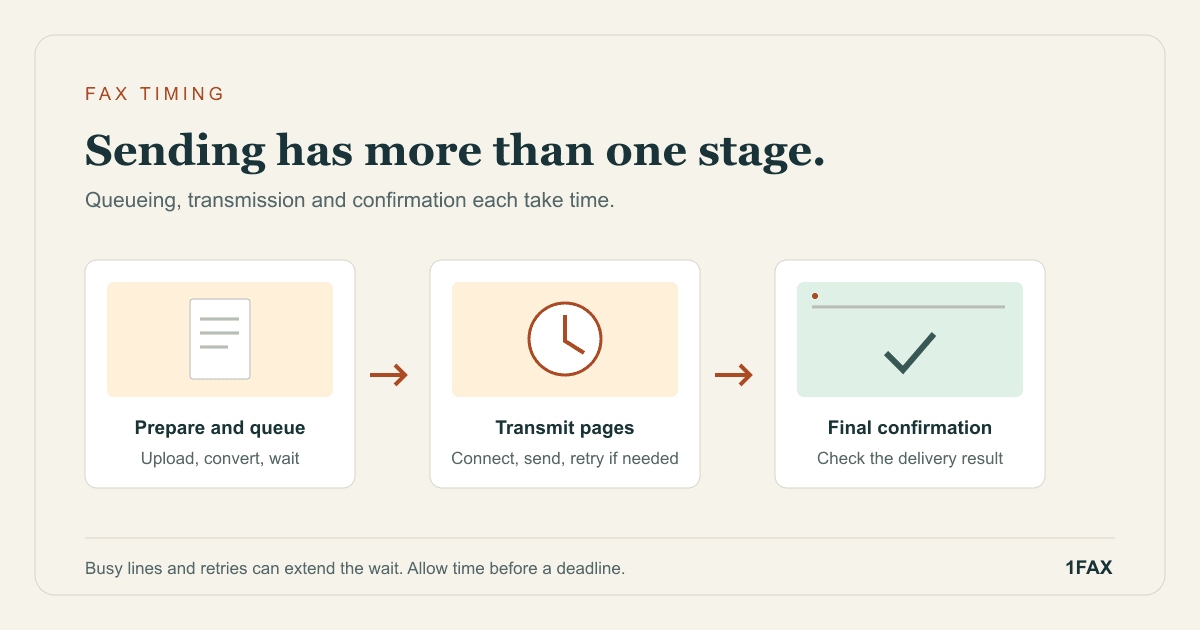
Someone asking how long a fax takes may mean how long it takes to upload, transmit, appear in an office's system, or receive a response. Those are different intervals. A fast upload says little about whether the receiving line is available, and successful transmission does not tell you when an employee will open the document.
For planning, separate the work into preparation, submission, delivery, and intake. If there is a deadline, ask the recipient which milestone counts and how they confirm it. Leave time to fix a wrong number, missing attachment, or unreadable page instead of planning around a best-case transmission.
| Stage | What is happening | What it establishes |
|---|---|---|
| Preparation and upload | Your file is selected, transferred, and prepared | The service has the document |
| Queued | The send is waiting to proceed | The request is accepted for processing |
| Sending | A connection and transmission are being attempted | Delivery is still in progress |
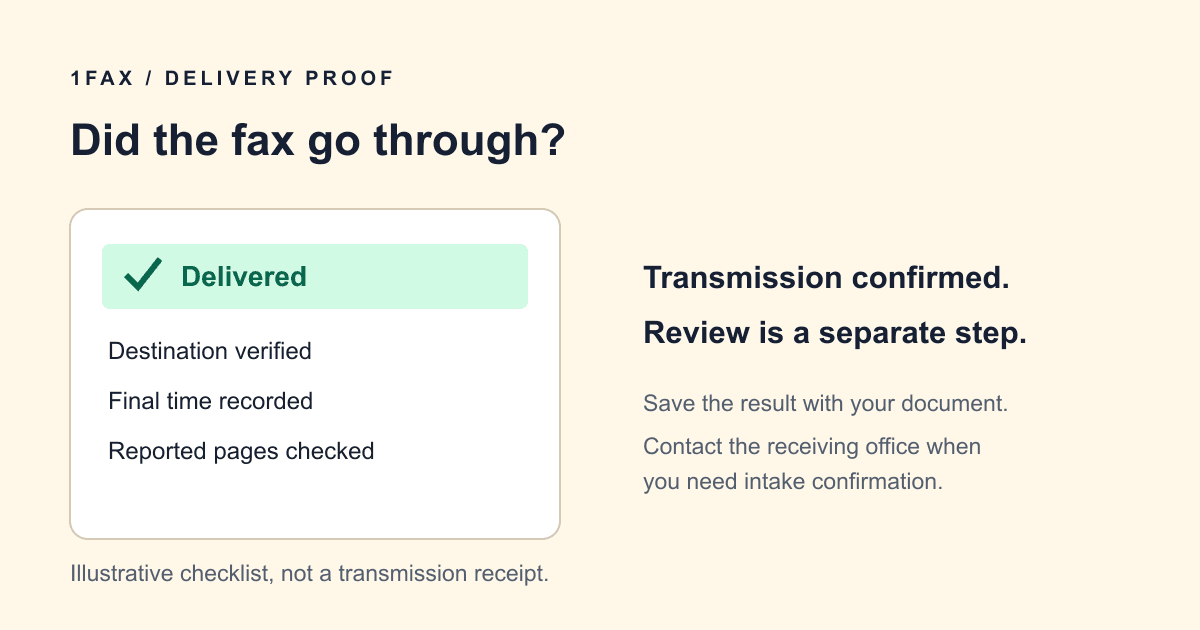
| Delivered | The receiving fax system accepted the transmission | Transmission succeeded |
| Office intake | Staff routes or reviews the packet | The recipient handles the contents |
Why page count does not produce an exact countdown
A longer packet generally requires more transmission work, but multiplying pages by a single fixed number of seconds can mislead you. The receiving equipment and connection conditions matter, and a retry adds another attempt. A cover sheet also contributes to the packet's total pages.
Document preparation has its own timing. Uploading a large scan over a slow connection can take longer than uploading a compact text PDF with the same page count. Remove accidental blank pages and unnecessary duplicates, but preserve the requested evidence and legibility. Reducing a file until small print becomes unreadable can turn a successful delivery into an unusable submission.
Read the status before deciding that the fax is stuck
Telnyx documents separate events for queueing, media processing, transmission start, delivery, and failure. That sequence explains why a service can accept your send before it has a delivery result. The 1Fax status page and email updates are the places to follow your particular job.
If it is still queued or sending, check for a new update and keep its reference. Do not treat a payment authorization or upload-success message as proof that the fax arrived. The delivery confirmation guide explains what a successful transmission can establish and what still needs confirmation from the receiving office.
- Read the current status and any explanation shown for the job.
- Keep the recipient number, submission time, and fax reference together.
- Check your notification email, including its spam folder.
- Review the existing job before starting an additional transmission.
Send when ready
Your final PDF can go straight from browser to fax.
No fax machine or monthly plan. Verify the number, review the page count, and keep the delivery status.
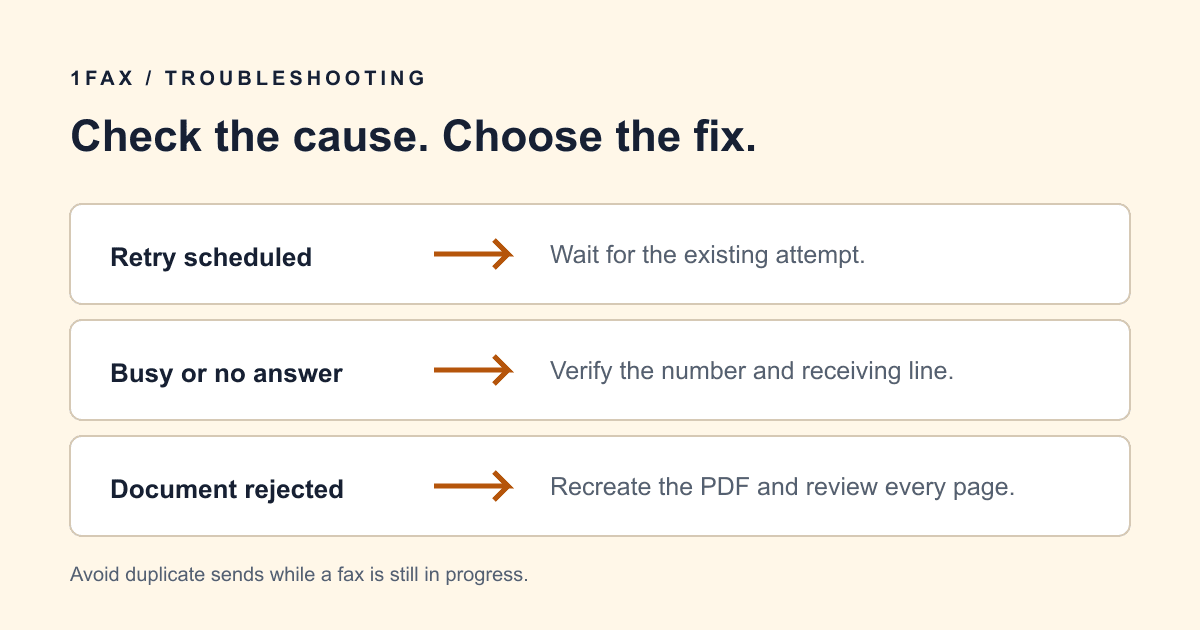
Busy lines and connection errors require different next steps
A receiving system may be busy or unavailable. Other failures can relate to the destination, connection, or document preparation. Telnyx's error documentation distinguishes preparation and transmission failures, so the useful next step depends on the reason reported rather than the amount of time alone.
If a final failure appears, verify the number and ask whether the receiving line is operating. If there is a file-related error, open and check the document before trying again. Our fax troubleshooting guide organizes these checks. Repeatedly submitting the same packet while an existing attempt is active can leave the recipient with duplicates.
Plan a time-sensitive fax around confirmation
Prepare the packet early enough to review every page. Confirm the destination with the responsible department, include the reference they need for routing, and keep a local copy. A complete packet sent early gives you time to react if the line is busy or a required page is missing.
If your deadline is close, contact the recipient through its published channel to ask about acceptable submission methods and intake confirmation. Do not assume that an online send request pauses a deadline. If you schedule a fax, the scheduled time is when the send should begin processing; it is not a promise of delivery at that exact moment.
Follow up when delivery and office intake disagree
If your result says delivered but the office cannot find the packet, provide the send time, destination, page count, and reference through its normal contact channel. Ask whether the fax routes to a central inbox or another department. Keep sensitive document contents out of an unnecessary email while you clarify routing.
If the job remains unresolved and you need help, share the fax reference and the current status with support. A precise record is more useful than a general claim that the fax is slow. Keep your original final result if the recipient later requests a fresh copy, and label replacements according to their instructions.
Research notes
Official sources used for this guide
Agency, healthcare, and provider instructions can change. Recheck the linked source and the document in front of you before transmitting.
- 01Fax send stages and delivery events (opens in a new tab)
Telnyx Developer Documentation
- 02Fax API error list (opens in a new tab)
Telnyx Help Center
Common questions
Frequently asked questions
How long does a one-page fax take?
A short fax may finish within minutes, but one page does not create a guaranteed delivery time. Preparation, connection availability, and retries still matter. Follow the final result for your job.
Does queued mean that my fax has been received?
No. Queued means the request is waiting to proceed through processing. Wait for a final delivered result before treating transmission as successful.
Should I resend if the receiving office has not replied?
First check the existing transmission result and contact the office about intake. A delivered fax and a reply from staff are separate events; another send may create an unnecessary duplicate.
In summary
Key takeaway
Fax timing is easiest to manage when you distinguish submission, transmission, and office intake. Prepare early, follow the job's current status, and use the final result and recipient's instructions to decide your next step.