Quick answer
Quick answer
If your document is already on your phone or computer, an online one-time fax is usually the fastest option because you can send from anywhere and keep an electronic delivery confirmation. If you only have a paper original or need hands-on help, use a nearby office-services store, print shop, or library—but call first to confirm fax availability, price, and privacy.
What to get right
- Use an online one-time fax when the document is already digital and you need to send now.
- Use a staffed local location when you only have paper or need help scanning and dialing.
- Check the full cost, including every page, the cover page, and any international rate.
- For sensitive paperwork, ask who can see the pages and keep the transmission confirmation.
The fastest answer depends on what you have in hand
Start with the document, not the store directory. A clean PDF on your phone or laptop can be sent online without driving anywhere. A paper form may need to be scanned first, and a damaged or faint original may be easier to handle at a staffed print counter.
Also decide whether you only need to send or need a location that can receive a reply. 1Fax is designed for outbound sending. If someone must fax a document back to you, confirm that the local provider or another service can give you an inbound fax number.
| What you have | Best first option | Why |
|---|---|---|
| PDF or photo on a phone | Online one-time fax | Send immediately without travel or a fax machine. |
| File on a computer | Online one-time fax | Upload the original file and avoid printing or rescanning. |
| Paper original only | Office store, print shop, or library | Staff or a self-service machine can scan and transmit the pages. |
| Need someone to receive a fax for you | Local business center or inbound fax service | Outbound-only tools do not provide a return fax number. |
| Sensitive or deadline-driven packet | Option with clear handling and delivery proof | You need a verifiable number, timestamp, page count, and status. |
Seven places that may send a one-time fax
Availability and pricing vary by location, so call a physical location before traveling. Ask whether the machine is self-service or staff-operated, whether a cover page counts as a paid page, and whether the location gives you a printed confirmation.
- An online pay-per-fax service from your phone or computer.
- FedEx Office or another staffed shipping and print center.
- Office Depot or another office-supply store with self-service machines.
- A UPS Store or independent mailbox and business-services location.
- A public library with document services.
- A hotel business center, coworking space, school, or workplace office.
- An independent print, copy, or mailing shop.
Online fax vs local store: compare the real cost
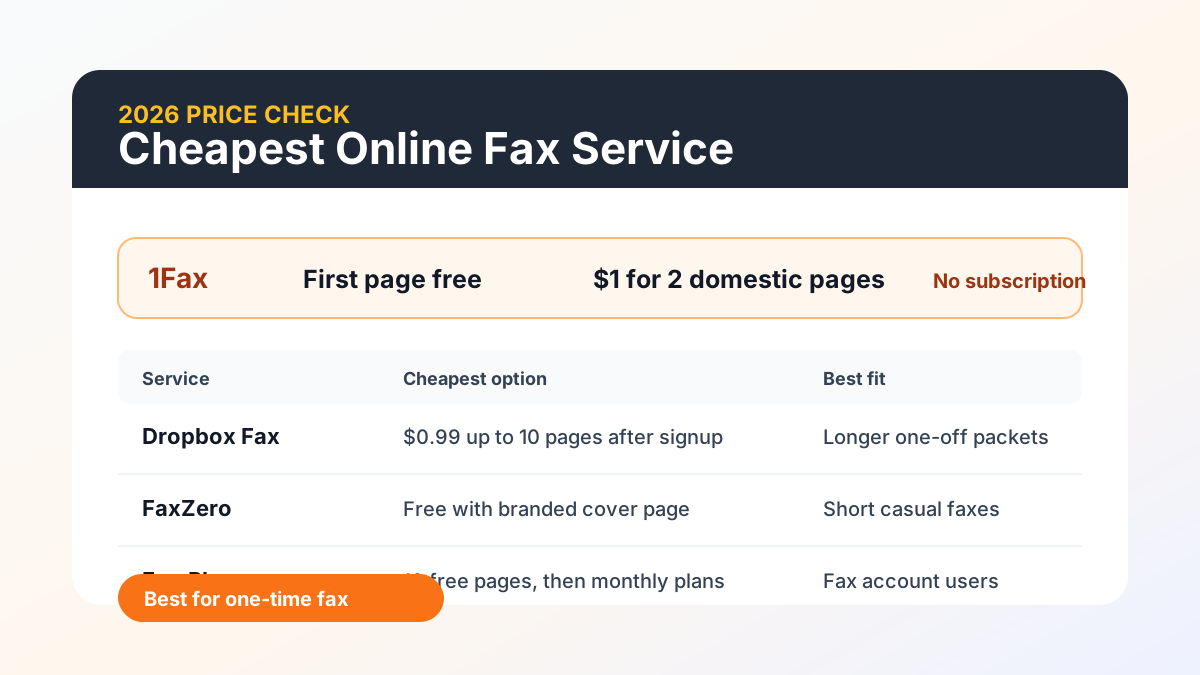
A physical location may charge by page and may use different prices for local, domestic long-distance, and international numbers. Online services may use a per-page price, a per-fax price, a free allowance, or a monthly plan. Compare the total for your exact packet rather than the advertised starting price.
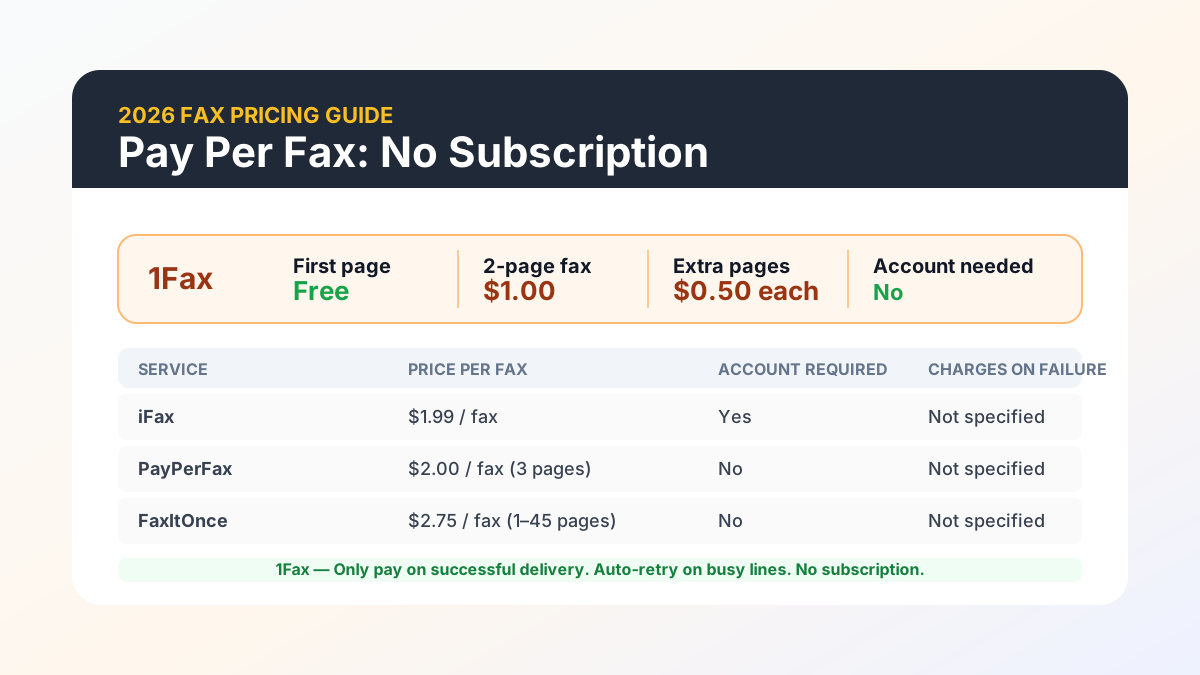
For an eligible domestic send, 1Fax offers one total page free. Other domestic faxes cost $1 for up to two total pages, including any cover page, then $0.50 per additional page. Payment is captured only after successful delivery. The checkout shows the total before you send, and international pricing can differ by destination.
| Option | Account or travel | Best for | Cost question to ask |
|---|---|---|---|
| 1Fax online | No account and no travel | A digital one-time outbound fax | What is the checkout total for this page count and destination? |
| Office or shipping store | Travel required | Paper originals and in-person help | Are the cover page and confirmation charged separately? |
| Library | Library access may be required | Low-volume community access | Does this branch offer faxing, and is it staff-operated? |
| Monthly fax plan | Account and recurring billing | Regular sending or receiving | Will I use enough pages to justify another month? |
Send when ready
Your final PDF can go straight from browser to fax.
No fax machine or monthly plan. Verify the number, review the page count, and keep the delivery status.
How to send from your phone instead of searching for a fax machine
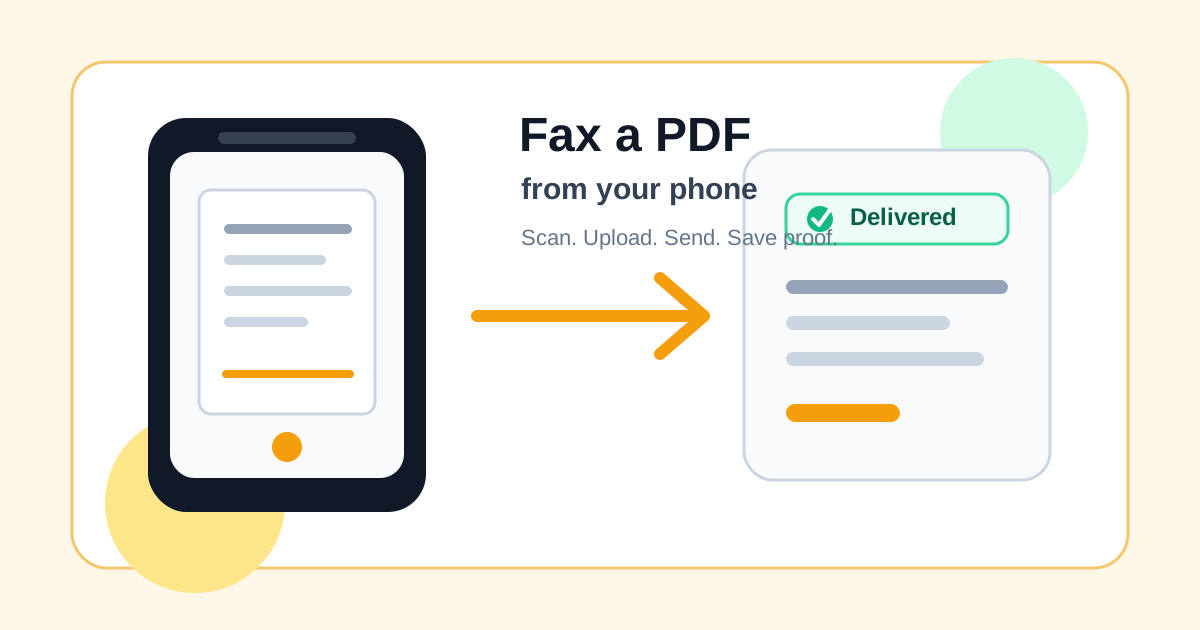
If the document is on paper, scan it into a PDF with your phone. Check every page at full size for blur, shadows, cropped signatures, and missing corners. Put the pages in the order the recipient requested.
Open 1Fax, upload the final file, enter the verified destination fax number, and add your email for delivery updates. Review the page count and price, then send. Save the confirmation email or status page after delivery.
- Scan or export one final PDF.
- Verify the destination fax number using the recipient's official instructions.
- Add a short cover page with the recipient, sender, subject, and page count.
- Review every digit of the fax number and the total number of pages.
- Send, monitor the status, and save the delivery confirmation.
Protect sensitive documents at a public fax location
Medical, tax, benefits, legal, and identity documents need more care than a casual form. At a public machine, pages can remain in an input tray, output tray, device memory, or waste bin. Stay with the document, collect every page, and ask how failed pages are handled.
With an online service, review the provider's storage and deletion policy before uploading. 1Fax uses private storage for uploaded documents. Read the current privacy policy for document-content deletion and metadata-retention terms before uploading; keep your own authorized copy.
- Do not leave originals or confirmation pages at the machine.
- Use a verified fax number rather than a number copied from an unverified directory.
- Send only the pages the recipient requested.
- Avoid putting diagnoses, Social Security numbers, or account details on a cover page unless required.
- Keep your receipt privately; it may show the destination number and document details.
What a fax confirmation proves
A successful transmission confirmation means the destination fax system accepted the pages. It does not prove that a doctor, government employee, attorney, or business has reviewed or processed them.
For deadlines, keep the complete PDF you sent, the destination number, the timestamp, the page count, and the delivery status. Follow up through the recipient's official phone number or portal when the document affects a claim, appointment, filing, or benefit.
Research notes
Official sources used for this guide
Agency, healthcare, and provider instructions can change. Recheck the linked source and the document in front of you before transmitting.
- 01FedEx Office fax services (opens in a new tab)
FedEx Office
- 02
- 03
Common questions
Frequently asked questions
Can I fax something without a fax machine?
Yes. If your document is on a phone or computer, an online fax service can transmit it without a landline, printer, or physical fax machine.
Where is the cheapest place to fax one page?
For an eligible domestic one-page outbound fax, 1Fax starts free. Local store and library prices vary, so compare the full page count and whether the cover page or confirmation adds a charge.
Can a library send a fax for me?
Some public libraries offer faxing, but availability, destination limits, fees, and staff assistance vary by branch. Call the specific branch before visiting.
Can I fax from my phone?
Yes. Scan the paper into a clean PDF or select an existing file, verify the recipient's fax number, send through an online service, and save the electronic confirmation.
Does delivered mean the recipient read my fax?
No. Delivered means the receiving fax system accepted the transmission. Contact the recipient separately if you need confirmation that a person matched the document to your file or completed the next step.
In summary
Key takeaway
The closest fax option may already be in your browser. Use an online one-time fax for a ready-to-send digital file, or choose a staffed local location when you need scanning help or only have paper. Whichever route you choose, verify the number, protect sensitive pages, and keep proof of delivery.